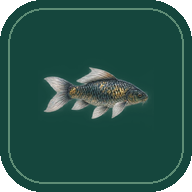
Aquatic Life Screensaver
Watch koi, carp and trout drift through an illustrated freshwater lake. Open it in your browser for an uninterrupted underwater view.

How to use the screensaver
Start underwater
Choose Start screensaver to open the lake in scenic mode. The fish keep swimming while the controls and fishing gear are hidden.
Change the view
Press V to switch between the lake surface and underwater. For fullscreen, exit scenic mode, choose the fullscreen button if available, then choose Scenic again.
Return to the controls
Press P or Esc, or double-click the scene. On a touchscreen, double-tap the scene. Choose Go fishing on this page to begin at the surface.
Frequently asked questions
Do I need to install anything?
Stillwater is free to open in your browser. It runs while the page is open and active. It does not install as an automatic idle screensaver for a computer or TV.
What fish can I see?
Mistveil Lake is an illustrated freshwater habitat with eight fish varieties. Look for rainbow trout, striped perch, carp, and red-and-white Kohaku koi.
Can I leave it silent?
Yes. Sound starts muted. Press M or use the sound button in the lake controls to enable the generated water sounds.
What happens when I go fishing?
Hold and release to cast, watch the float, and reel in your catch. Each fish goes back into the lake, and the journal saves your discoveries in this browser.